Den richtigen Bot finden
Beginne mit deiner Aufgabe. Suche nach Begriffen wie KI, Finanzen, Downloads, Spiele, Automatisierung oder Produktivität, öffne ein Ergebnis und prüfe Beschreibung, Aufrufe, Bewertung und Kommentare.

Durchsuche ein wachsendes Verzeichnis von Telegram-Bots, vergleiche nützliche Signale und öffne Bots direkt in Telegram.
 Privater Verkaufstracker BotPrivater Verkaufstracker. Verkauf erfassen: im Menü auf + Hinzufügen drücken.
0.0 24›
Privater Verkaufstracker BotPrivater Verkaufstracker. Verkauf erfassen: im Menü auf + Hinzufügen drücken.
0.0 24›
 Astro-ComicsDas offizielle Facebook-Profil der Cartoon-Reihe Astro-Comics! Hier gibt's den täglichen Irrsinn aus den Weiten des Weltalls! ★ Website: www.astro-comics.de ★ Patreon: https://www.patreon.com/AstroComics
0.0 24›
Astro-ComicsDas offizielle Facebook-Profil der Cartoon-Reihe Astro-Comics! Hier gibt's den täglichen Irrsinn aus den Weiten des Weltalls! ★ Website: www.astro-comics.de ★ Patreon: https://www.patreon.com/AstroComics
0.0 24›
 Martial Arts CenterMartial Arts Center München - Selbstverteidigung, Kampfkunst und Fitness für die ganze Familie. Liken sie uns für Updates! Probetraining kostenlos.
0.0 23›
Martial Arts CenterMartial Arts Center München - Selbstverteidigung, Kampfkunst und Fitness für die ganze Familie. Liken sie uns für Updates! Probetraining kostenlos.
0.0 23›
 Künstliche Intelligenz für SeniorenIch habe im Spiegel einen Artikel über "bots" gelesen und teste chatfuel.com
0.0 23›
Künstliche Intelligenz für SeniorenIch habe im Spiegel einen Artikel über "bots" gelesen und teste chatfuel.com
0.0 23›
 FLYERALARM Menu DesignDesign und Fertigung von außergewöhnlichen Speisekarten.
0.0 24›
FLYERALARM Menu DesignDesign und Fertigung von außergewöhnlichen Speisekarten.
0.0 24›
 creating-web GmbHBeratung, Planung, Design, Programmierung, Online Marketing und Controlling. (Zum Impressum)
0.0 29›
creating-web GmbHBeratung, Planung, Design, Programmierung, Online Marketing und Controlling. (Zum Impressum)
0.0 29›  DayDealDieser unabhängige Bot postet im Channel t.me/daydeal_channel die neusten Deals von daydeal.ch und blickdeal.ch.
5.0 38›
DayDealDieser unabhängige Bot postet im Channel t.me/daydeal_channel die neusten Deals von daydeal.ch und blickdeal.ch.
5.0 38›
 OFG HelferleinWenn du neu in der @FMS-Gruppe bist, dann bin ich dein Bot. Von mir bekommst du Infos und Tipps. Willkommen. ?
4.5 35›
OFG HelferleinWenn du neu in der @FMS-Gruppe bist, dann bin ich dein Bot. Von mir bekommst du Infos und Tipps. Willkommen. ?
4.5 35›
 Müllabfuhr GöttingenDieser Bot erinnert dich rechtzeitig daran, die gelben Säcke rauszubringen!
5.0 32›
Müllabfuhr GöttingenDieser Bot erinnert dich rechtzeitig daran, die gelben Säcke rauszubringen!
5.0 32›
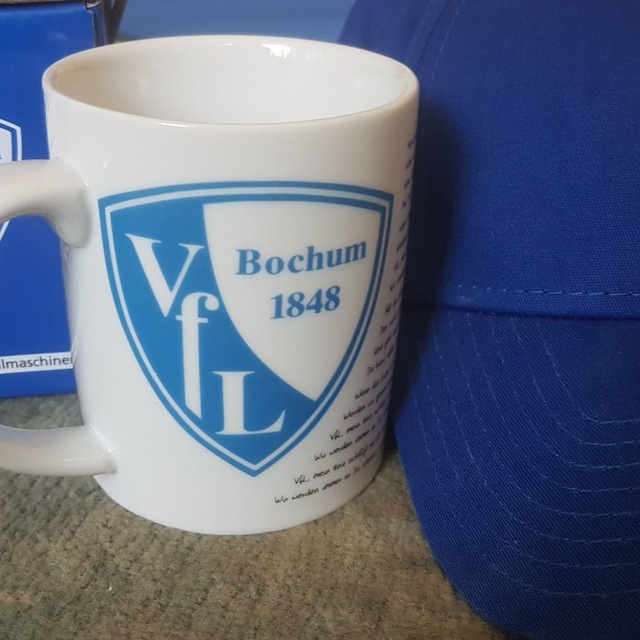 VfL BochumFreunde des VfL Bochum, meine Wenigkeit hat umfassende News. Nimm mich in die Gruppe oder komm bei uns bei @VfL_Freunde.
3.8 30›
VfL BochumFreunde des VfL Bochum, meine Wenigkeit hat umfassende News. Nimm mich in die Gruppe oder komm bei uns bei @VfL_Freunde.
3.8 30›
 DWDWarnDieser Bot schickt Live Wetterwarnungen des Deutschen Wetterdienstes per Telegram Pushnachrichten.
4.0 29›
creating-web GmbHBeratung, Planung, Design, Programmierung, Online Marketing und Controlling. (Zum Impressum)
0.0 29›
DWDWarnDieser Bot schickt Live Wetterwarnungen des Deutschen Wetterdienstes per Telegram Pushnachrichten.
4.0 29›
creating-web GmbHBeratung, Planung, Design, Programmierung, Online Marketing und Controlling. (Zum Impressum)
0.0 29› Entdecke gängige Telegram-Bot-Kategorien, um Tools schneller zu finden, auch wenn du den genauen Benutzernamen nicht kennst.
botCat ist ein durchsuchbares Telegram-Bot-Verzeichnis, das die Bot-Suche beschleunigt. Suche nach Name, Benutzername oder einer klaren Beschreibung, vergleiche Beliebtheit und Community-Signale und öffne den Bot in Telegram.
Beginne mit deiner Aufgabe. Suche nach Begriffen wie KI, Finanzen, Downloads, Spiele, Automatisierung oder Produktivität, öffne ein Ergebnis und prüfe Beschreibung, Aufrufe, Bewertung und Kommentare.
Ein nützlicher Telegram-Bot hat einen klaren Zweck, ein verständliches Profil und genug Aktivität oder Community-Feedback, um einschätzen zu können, ob er zu dir passt.
Statt nur Namen und Links zu sammeln, organisiert botCat durchsuchbare Bot-Informationen in leicht vergleichbaren Profilen. So gelangst du von einer allgemeinen Aufgabe wie „KI-Bot“ oder „Download-Bot“ mit weniger Rätselraten zu einem konkreten Telegram-Bot.